This is how your documentation becomes a control center.
One clear problem, four steps, one live picture — and how it stays secure while doing it.
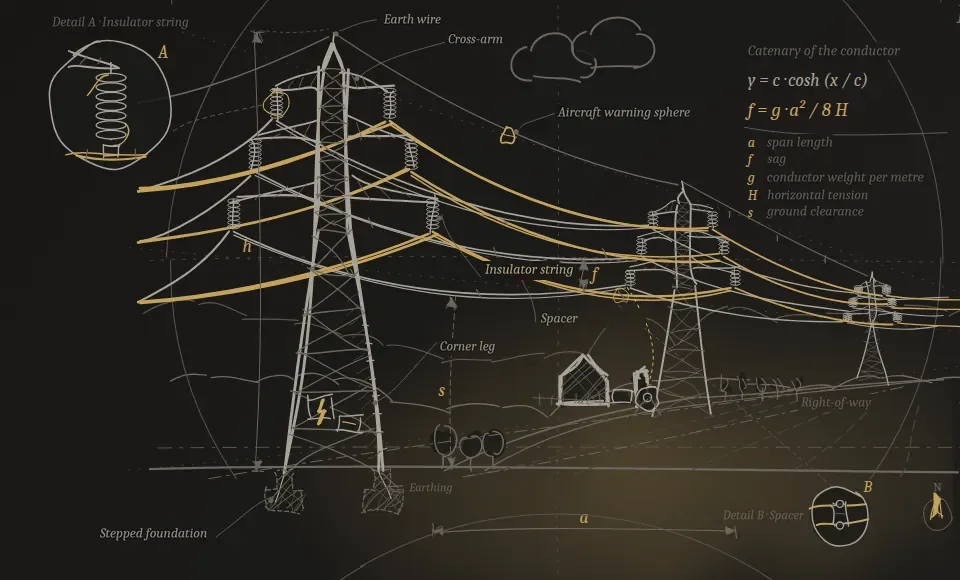
Documentation decides schedule, acceptance and liability — yet stays invisible until the very end.
See what's missing
LAD checks against your domain's documentation catalog and immediately shows every gap — by section, by trade, by gate.
Steer, don't administer
The control center turns the pile of documentation into a governable approval chain: what's blocking, what's next, who decides.
A handover that holds
Every green light has a traceable path to its record. Acceptance becomes plannable instead of a gamble.
In detailSix everyday situations comparedWithout LAD · With LAD — each with a concrete example in the Control Center.Expand
From your systems to the decision — in four steps.
No system migration, no data move. Linea Aurea sits above what is already running and turns it into a resilient overall status.
Connect
LAD docks read-only onto your systems — SAP, ELO, GIS, SharePoint, Jira and more. Nothing is replaced.
.In practice
This is how it works for the SAP PM/EAM · Equipment 10004521 source-system example on the Security & Compliance page — LAD only reads, it changes nothing in the SAP record.
Structure
Every document becomes a container: asset, type, version, deadline and chain of evidence belong together.
.In practice
In the Documents tab of the document room demo, every document carries its asset, version, inspection and retention deadline, and gate assignment from the outset.
Evaluate
Deadlines, gaps and handover readiness come together in the control center — based on the current data status, by asset, area and gate.
.In practice
The Deadlines & Gates tab shows exactly such cases with advance notice — for example the protection test report, Central Station.
Decide
You see in black and white what's missing and what's ready for acceptance — and act before it gets expensive.
.In practice
This is exactly what phase 4 of the Pilot Blueprint is for, "Proof of value & decision" — with a before/after comparison and a recommended action instead of gut feeling.
The control center: the central steering unit for your entire network.
Everything scattered across your systems comes together here — across sectors, areas and gates. Many views, one state of truth. Click through the control center.
This is how your team works in the system — four views, one truth.
Documents, assets, deadlines and the connected source systems — every view shows the same status, just sliced differently. Click through it.
DemoOpen the document roomDocuments, assets, deadlines & gates, source systems — four views to click through, synthetic.Expand
| Document | Asset | Deadline | Status |
|---|---|---|---|
In-service Inspection Report | Substation North · Bay 3 | 07/2027 | valid |
Asset Profile | Substation North · Bay 3 | — | valid |
Protection Test Report | Central Station | 02/2027 | deadline approaching |
Declaration of Conformity | Switching Station South | open | missing |
As-Built Documentation | Route East | — | valid |
Joint Test (Underground Cable) | Cable Route A9 | open | missing |
Thermography Report | Substation West | 12/2027 | valid |
Earthing Measurement | Cable Route A9 | 05/2027 | on track |
Searching folders, emails and the CDE. Deadlines only surface at the gate. No one knows the overall status.
One click — document, metadata, deadline and chain of evidence belong together. The QR jumps from paper back to the digital object.
Concrete: This is exactly what you see above in the Documents tab — the in-service inspection report for Substation North · Bay 3 carries version, inspection deadline, retention period, gate and QR resolver in a single container.
Ready-made templates from the standard — view as PDF samples, with QR.
Three templates from network operations (example "Sample Network Operator"): full metadata and control block, standard references, and a QR·DMS resolver that jumps from the printed page back to the digital document. This consistency — every template following the same structure — is, in our experience, still rare. Synthetic. The editable Word/Excel originals are part of the pilot. Note: The English samples are adapted to the regulatory framework in Great Britain (for example Electricity at Work Regulations, IGEM, BS EN); companies, places and projects are fictitious. Structure and logic are identical across languages.
In detailThe template samples as PDFConcept study, inspection record, risk matrix — with control block and QR link back.Expand
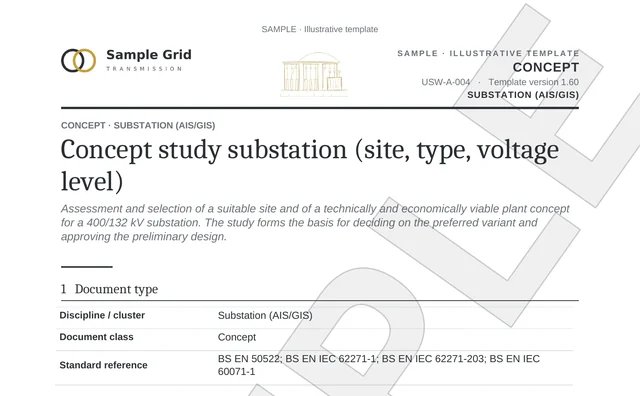
Concept Study · Substation
Word report with identity and control block, standard references and QR link-back to the DMS.
Demo example: The same assets — Substation North and Substation West — appear in the Assets tab of the document room demo with their calculated documentation coverage.
↓ View sample (PDF)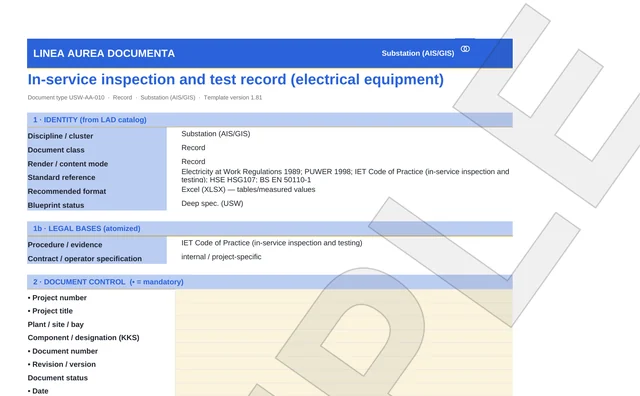
In-service Inspection Record
Recurring inspection of equipment — structured Excel with QR·DMS resolver.
Demo example: This exact document appears as an example in the Documents tab of the document room demo (Substation North · Bay 3, valid until 07/2027).
↓ View sample (PDF)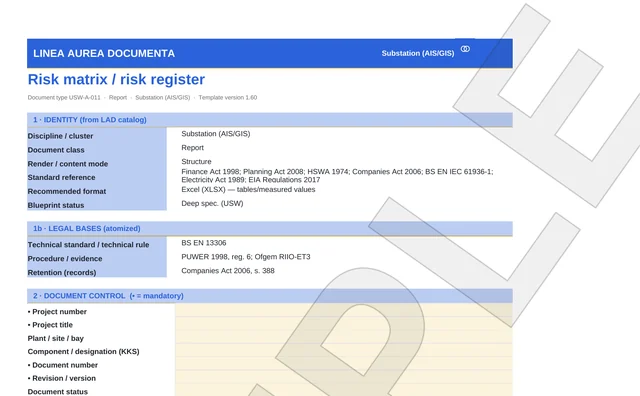
Risk Matrix & Register
Capture and assess risks in a structured way — with metadata block and QR·DMS resolver.
Demo example: The Risk Status view in the control center shows the same principle of structured risk capture.
↓ View sample (PDF)Built for critical infrastructure — not against it.
LAD sits read-only above your systems, runs wherever you want it to, and never interferes with operations.
Data flow, boundaries and the full IT checklist are collected on the page View Security & Compliance →
See it on your own network.
30 minutes, no system access: using your use case we check whether a pilot area can be clearly scoped — no slide deck.
- Send a requestBriefly, your topic and your sector.
- 30-minute conversationOn your use case, no system access.
- A clear answerWhether a pilot area can be clearly scoped.